> For the complete documentation index, see [llms.txt](https://docs.aiplanet.com/genai-stack-1/llms.txt). Markdown versions of documentation pages are available by appending `.md` to page URLs; this page is available as [Markdown](https://docs.aiplanet.com/genai-stack-1/components/multi-modals.md).
# Multi Modals
### Multi Modals
Multi-modal is a specialized custom component that utilizes advanced models, such as diffusion models or speech generators, to create images or voice outputs from a simple text prompt. Currently, we have two Multi-Modals available: OpenAITextToImage and OpenAITextToSpeech.
#### OpenAITextToImage
This component uses the `Dall-e-3` model from OpenAI behind the hood. Users need to input specific parameters to generate the desired output.
**Parameters**
* **OpenAI API Key:** Key used to authenticate and access the OpenAI API.
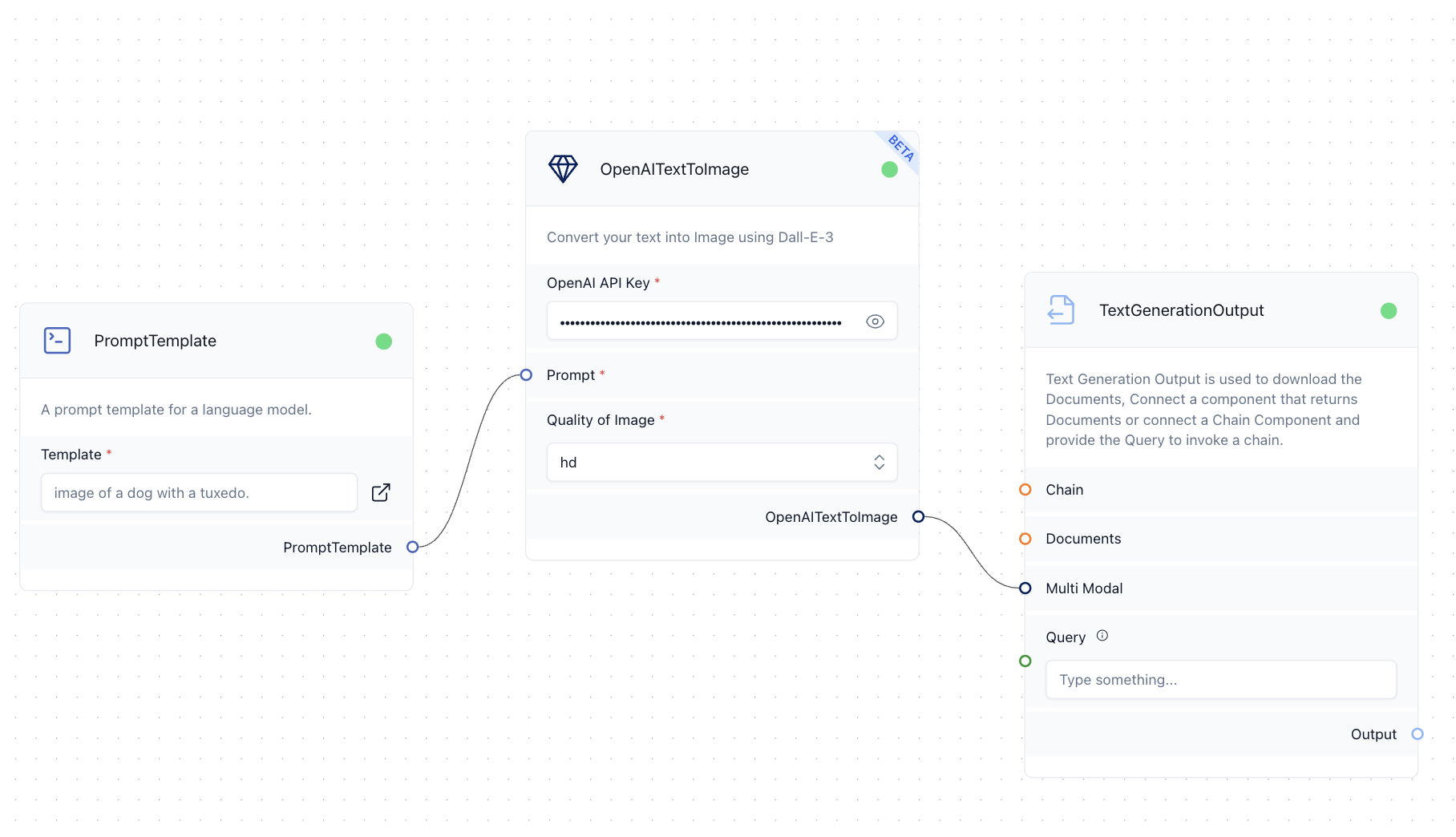
* **Prompt:** Prompt template or ChatPrompt Prompt, that contains the prompt to be instructed for the component.
* **Quality of the Image:** This refers to the visual quality of the image, which can be either standard or High Definition (HD).
**Example Usage**
using the OpenAITextToImage to generate an image
The OpenAITextToImage component requires an `OpenAI API Key` that you can get from . The Prompt can be specified using a simple `PromptTemplate`. The `Quality of Image` can be set either to HD or standard. This component returns an `Ouput`.
#### OpenAITextToSpeech
This component uses the `tts-1` model from OpenAI in the background. Users can generate a voice speech with a specified vocal tone, using this component.
**Parameters**
* **OpenAI API Key:** Key used to authenticate and access the OpenAI API.
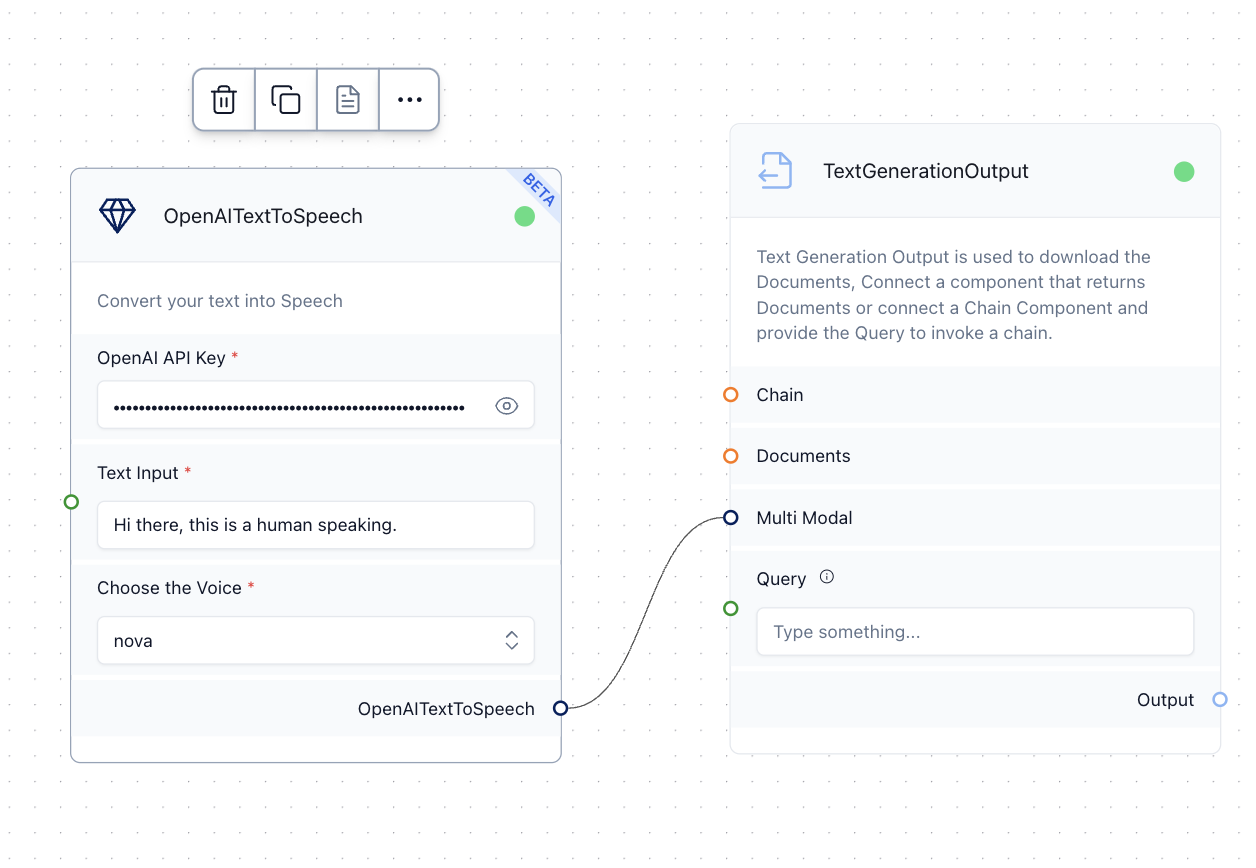
* **Text Input:** The simple text prompt, which will be converted to speech.
* **Choose a Voice:** This option lets us choose the type of vocal tone for generating the speech.
**Example Usage**
using the OpenAITextToSpeech to generate a voice speech
The OpenAITextToSpeech component requires an `OpenAI API Key` that you can get from . The `text input` is the field that gets converted to the speech. The `Choose the Voice` option allows you to adjust the type of vocal tone in the output speech. This component returns an `Ouput`.